
Settings
AI Providers
The AI Providers section lets you create one or more configurations for each AI engine, specifying the model to use, whether transcriptions are enabled, and other engine-specific settings. You can create as many configurations as you need; each one is later selectable as the provider for your AI Conversational Agents or for AI Voicemail Detection.
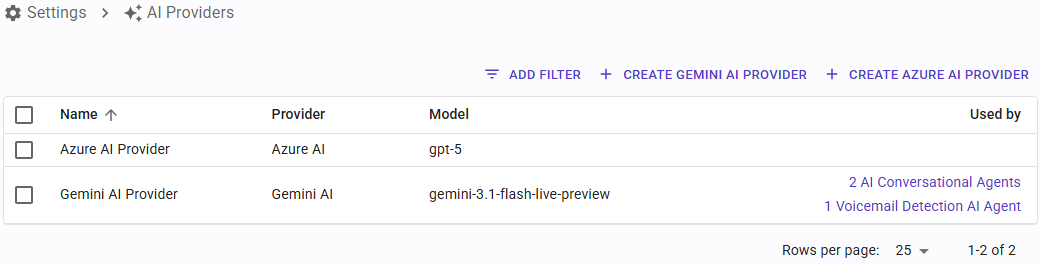
Supported Engines
SIP Caller currently supports the following engines:
- Azure
- Gemini
- Grok
- OpenAI
To access AI Providers, go to "Settings" > "AI Providers".
Not sure which one to pick? See our AI Providers Comparison for a breakdown of pricing, features, and the pros and cons of each provider.
Azure
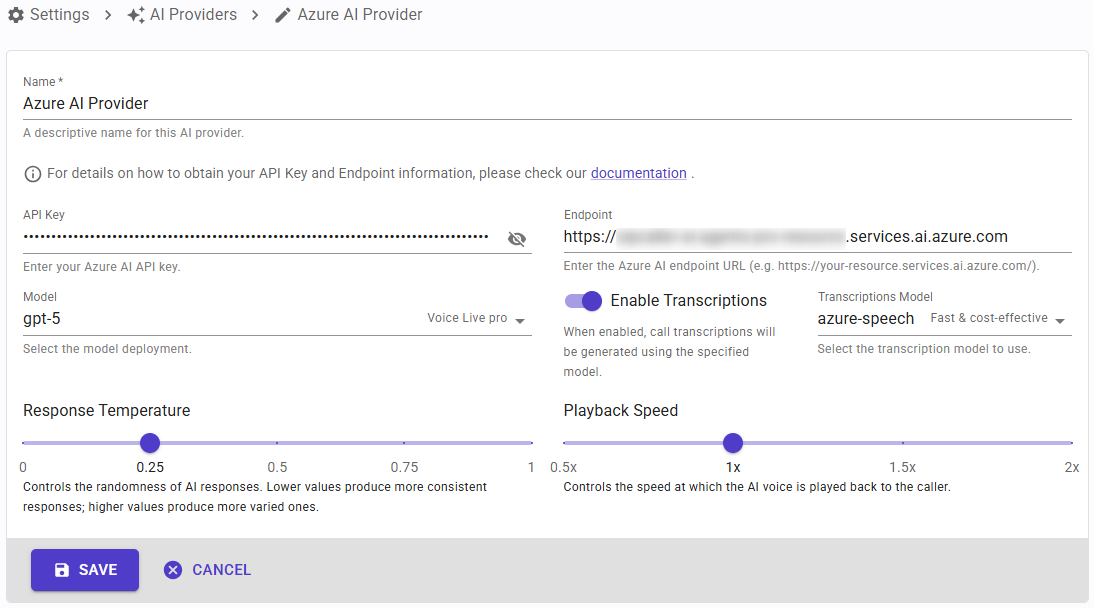
Here you can configure the following fields:
- API Key: authenticates your requests to the Azure AI service. Refer to the Azure AI setup guide for instructions on how to obtain it.
- Endpoint: the URL of your Azure AI resource. Refer to the Azure AI setup guide for instructions on how to obtain it.
- Live Audio Model: select a profile between Lowest Cost, Balanced or Most Accurate, when available. SIP Caller will select the appropriate model for this AI Provider and profile.
- Playback Speed: controls how fast the AI agent speaks. Adjust this to make the voice sound more natural for your use case.
- Enable Transcription: enable or disable call transcriptions for AI agents using this provider.
- Transcription Model: select a profile between Lowest Cost, Balanced or Most Accurate, when available. SIP Caller will select the appropriate transcription model for this AI Provider and profile. Available when transcriptions are enabled.
Gemini
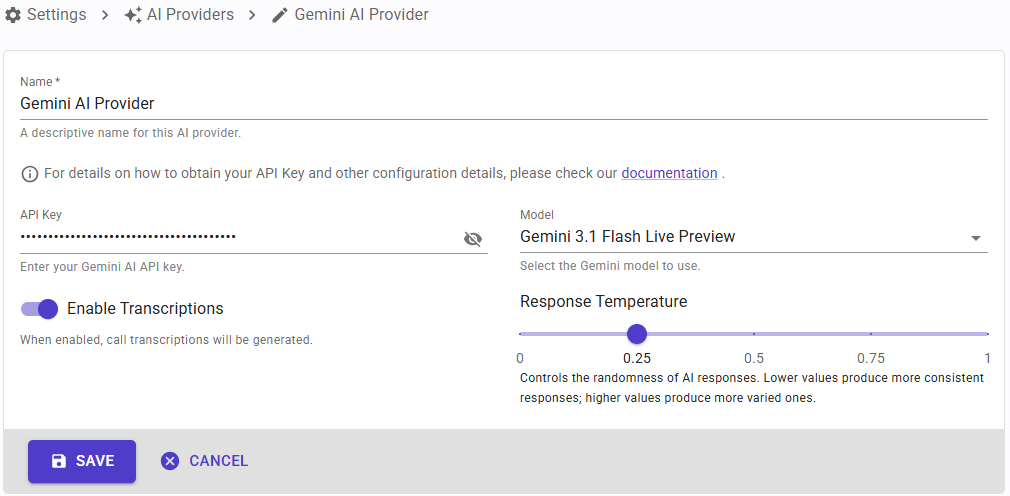
Here you can configure the following fields:
- API Key: authenticates your requests to the Gemini AI service. Refer to the Gemini AI setup guide for instructions on how to obtain it.
- Live Audio Model: select a profile between Lowest Cost, Balanced or Most Accurate, when available. SIP Caller will select the appropriate model for this AI Provider and profile.
- Enable Transcription: enable or disable call transcriptions for AI agents using this provider.
Grok
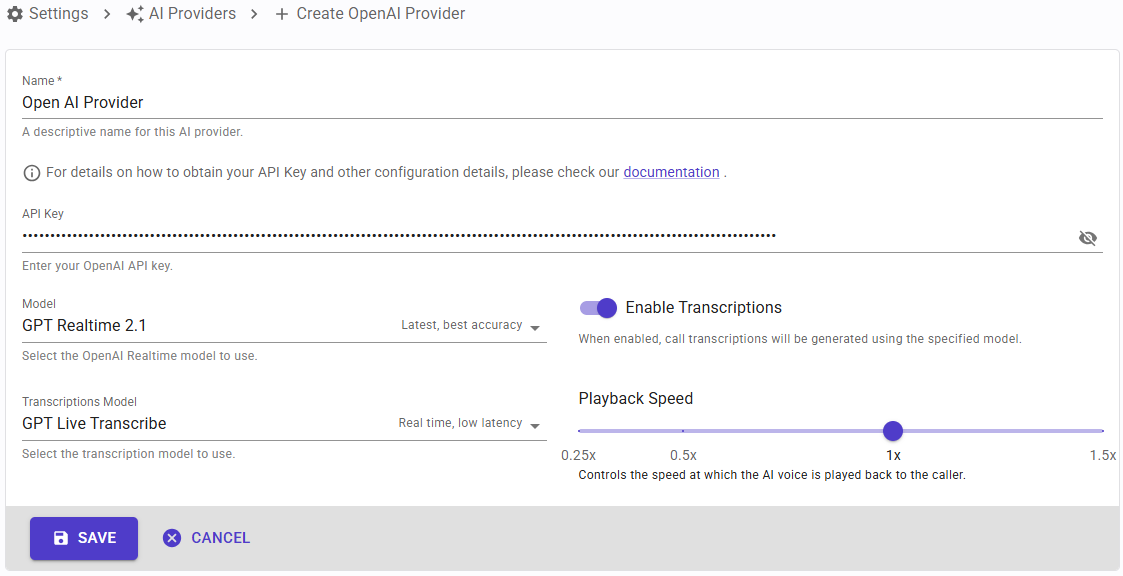
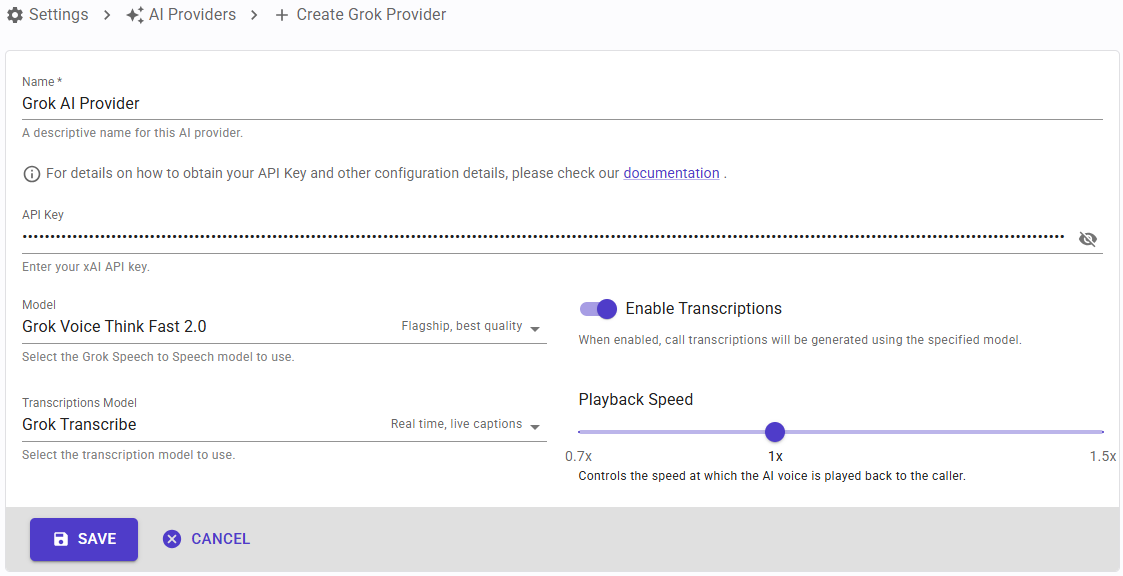
Here you can configure the following fields:
- API Key: authenticates your requests to the Grok service. Refer to the Grok setup guide for instructions on how to obtain it.
- Live Audio Model: select a profile between Lowest Cost, Balanced or Most Accurate, when available. SIP Caller will select the appropriate model for this AI Provider and profile.
- Playback Speed: controls how fast the AI agent speaks. Adjust this to make the voice sound more natural for your use case.
- Enable Transcription: enable or disable call transcriptions for AI agents using this provider.
- Transcription Model: select a profile between Lowest Cost, Balanced or Most Accurate, when available. SIP Caller will select the appropriate transcription model for this AI Provider and profile. Available when transcriptions are enabled.
OpenAI
Here you can configure the following fields:
- API Key: authenticates your requests to the OpenAI service. Refer to the OpenAI setup guide for instructions on how to obtain it.
- Live Audio Model: select a profile between Lowest Cost, Balanced or Most Accurate, when available. SIP Caller will select the appropriate model for this AI Provider and profile.
- Playback Speed: controls how fast the AI agent speaks. Adjust this to make the voice sound more natural for your use case.
- Enable Transcription: enable or disable call transcriptions for AI agents using this provider.
- Transcription Model: select a profile between Lowest Cost, Balanced or Most Accurate, when available. SIP Caller will select the appropriate transcription model for this AI Provider and profile. Available when transcriptions are enabled.
Usage
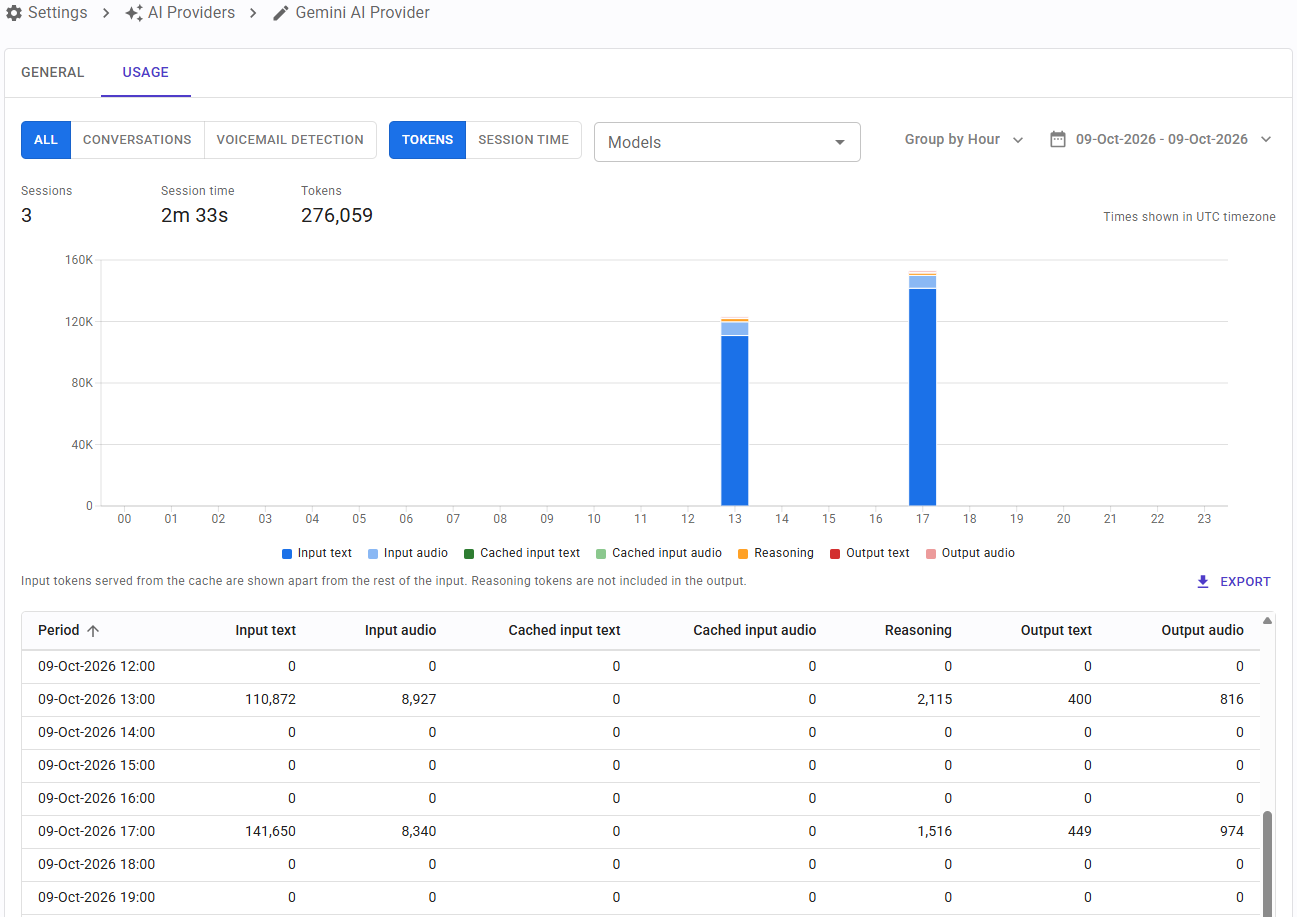
When you open an existing AI Provider, the Usage tab shows the tokens and session time consumed through this AI Provider. By default it shows the last 7 days, and the controls above the chart let you choose what to see:
- All, Conversations or Voicemail detection: include the usage of both AI Conversational Agents and AI Voicemail Detection, or only one of them.
- Tokens or Session time: the metric shown in the chart, the grid and the export.
- Models: show only the usage of the selected AI models, grouped in Live Audio and Transcription models. Leave it empty to include all the models.
- Group by: group the usage by hour, day, week, month or year.
- Date range: select the period to show, from the day the AI Provider was created until today. A range of one or two days is grouped by hour and a longer one by day, unless you choose a different grouping.
All dates and times are shown in the UTC timezone, which is how the usage is stored.
Above the chart, a summary shows the total sessions, session time and tokens for the selected period, plus the transcription time when the AI Provider reports it. The chart shows the selected metric for each period:
- Tokens: the tokens used in each period, split in input text and audio, cached input text and audio, reasoning, and output text and audio. Input tokens served from the cache are shown apart from the rest of the input, and reasoning tokens are not included in the output. When the AI Provider reports the tokens of its transcription model, they are shown too.
- Session time: the time the AI provider sessions were open in each period. The session is opened before the number is dialed, so it also includes the ringing time, and unanswered calls count too.
Click a bar of the chart to see that period in more detail: a year is shown by month, a month or a week by day, and a day by hour. The “Back to previous date range” button takes you back to the date range you came from. Choosing a different date range or grouping starts over.
Under the chart, a grid shows the selected metric for each period: the tokens of each type for Tokens, or the sessions and session time for Session time, plus the transcription tokens or time when the AI Provider reports them. You can sort the grid by any column. The “Export” button downloads the same columns to a CSV file, one line per period, with the times in seconds.


