
AI Agents
Gemini

Overview
To use Gemini AI agents in SIP Caller, you need an API Key from Google AI Studio. Follow the steps below to obtain it.
Step 1 — Open Google AI Studio
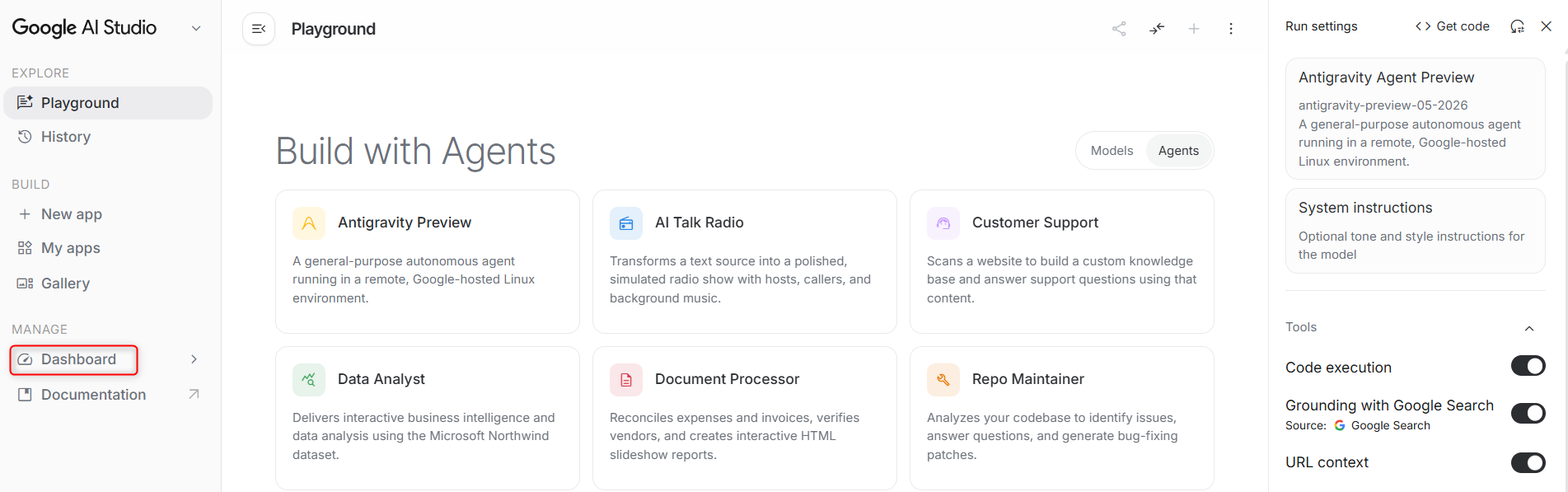
Go to Google AI Studio and click on Dashboard.
Step 2 — Create an API Key
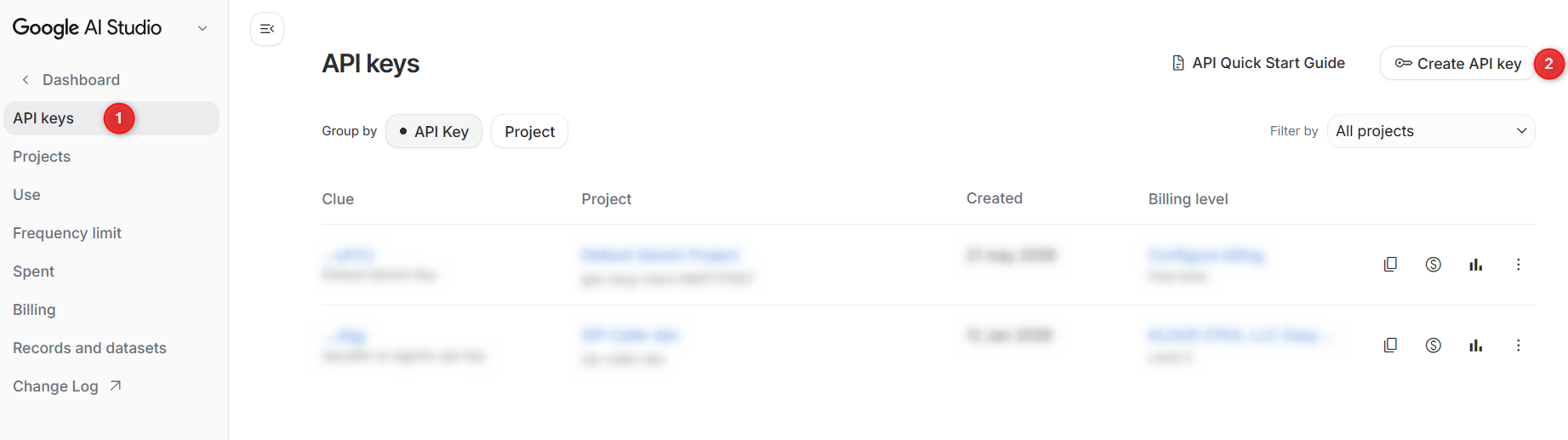
Click on API keys in the left menu, then click Create API key.
Step 3 — Configure the API Key
Enter a name for the API key (for example, SIP Caller AI Agents), select a project, and confirm the creation. The API key will be displayed — copy it and paste it into the API Key field in SIP Caller.


