
AI Agents
Grok

Overview
To use Grok agents in SIP Caller, you need to create an API Key. Follow the steps below to obtain it.
Step 1 — Set up a Grok Account
Go to the xAI Platform and create your account.
Go to Settings > Billing and complete the billing setup.
Step 2 — Create an API Key
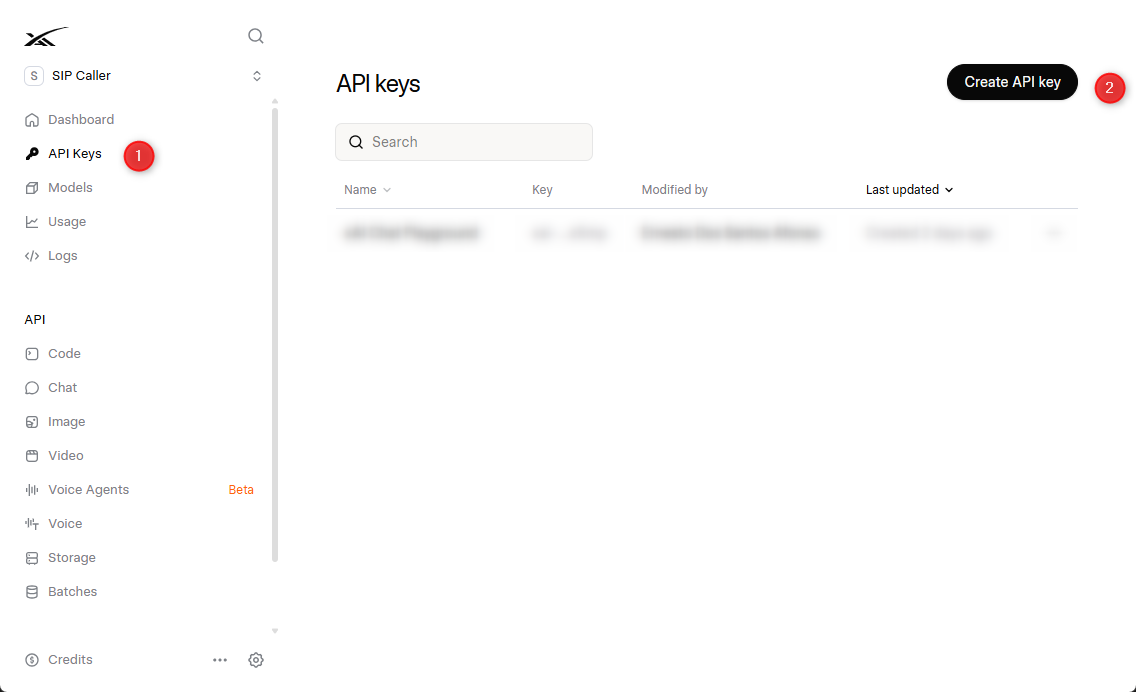
Click API Keys in the left menu. Then click the Create API key button.
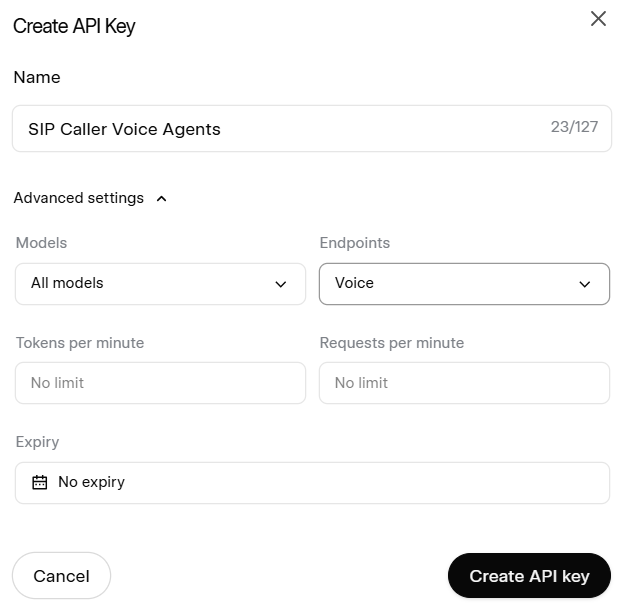
In the "Create API Key" dialog, enter a name and expand Advanced settings to keep only the Voice Endpoints enabled. You can also set a limit on Tokens per minute or Requests per minute. Leave the Expiry setting as No expiry so the API Key doesn't get automatically revoked afterwards.
Save the API key in a safe place, as it will not be shown again. You will need this value when creating the AI Provider in SIP Caller.


