Settings
Black Lists
SIP Caller allows you to define black lists of numbers that should not be called. You can define as many black lists as you need, and assign them to your campaigns as needed. Using more than one black list can be useful for example when targeting more than one country, so you can specify numbers for each country in each black list. When a campaign includes a number which is present in a black list configured for the campaign, the record will be skipped and the number will not be called.
Required roles
In order to create or edit a Black List, the user needs one of the following roles:
- Administrator
- Operations Manager
- Campaigns Manager
In order to view a Black List, the user needs one of the following roles:
- Account Reader
- Operations Reader
Create a Black List
To create a Black List:
- Go to “Settings” > “Black Lists”, and then click “Create”.
- Specify a name for the Black List and click “Save”.
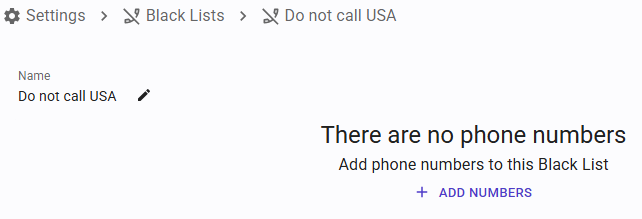
- Once the black list has been created, you can start adding numbers to it, by clicking “Add Numbers”.
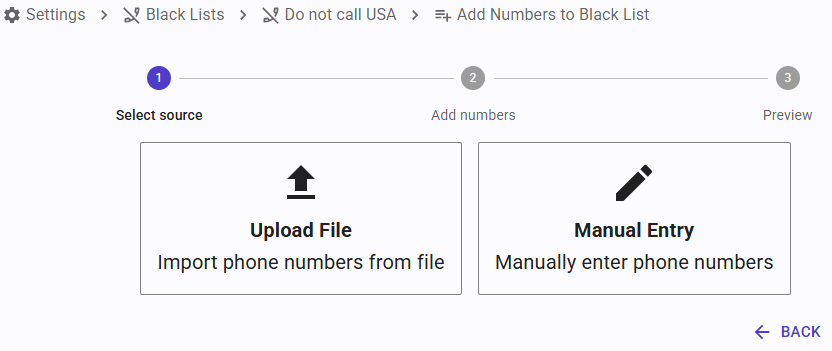
- To add numbers, you have 2 methods:
- Upload File: you can select a CSV file, which should contain 2 columns, one for the number to block, and one for the description. The description is optional, and can be left empty.
- Manual Entry: you can type your numbers in the text box, or copy & paste them from any location. The expected format is the same: two columns, the first for the number to block and the second for an optional description.
- The data provided will be analyzed, and if the format is correct you will be able to click "Add Numbers" to upload these numbers to SIP Caller.
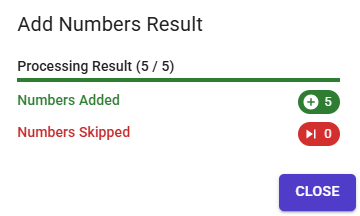
- Once the upload is complete, the results will be shown in a dialog.
Numbers can also be added to a black list from your own systems with the REST API (requires Enterprise Edition), for example to keep it in sync with the opt-outs registered in your CRM.
Using black lists in campaigns
Black lists are available in all plans. Typical uses are:
- Opt-outs: the numbers of the people who asked not to be called again.
- National Do Not Call registries: the numbers registered in the Do Not Call registry of each country you call.
To use a black list, select it in the Call Setup tab of the campaign. A campaign can use more than one black list, and the same black list can be used by many campaigns.
Changes to a black list apply immediately to every campaign using it: SIP Caller checks the black lists right before calling each number, so a number added to a black list won't be called anymore, even in campaigns that are already running.
When a number is skipped because it's in a black list, it's not called, and it's shown with the “In Black List” status in the campaign reports, for example in the Number Details report.