AI Agents
OpenAI

Overview
To use OpenAI agents in SIP Caller, you need an API Key from OpenAI. Follow the steps below to obtain it.
Step 1 — Set up an OpenAI Account
Go to the OpenAI Platform and create your account.
Create a new Project and give it a descriptive name. Then go to Organization Settings > Billing and complete the billing setup.
Step 2 — Create an API Key
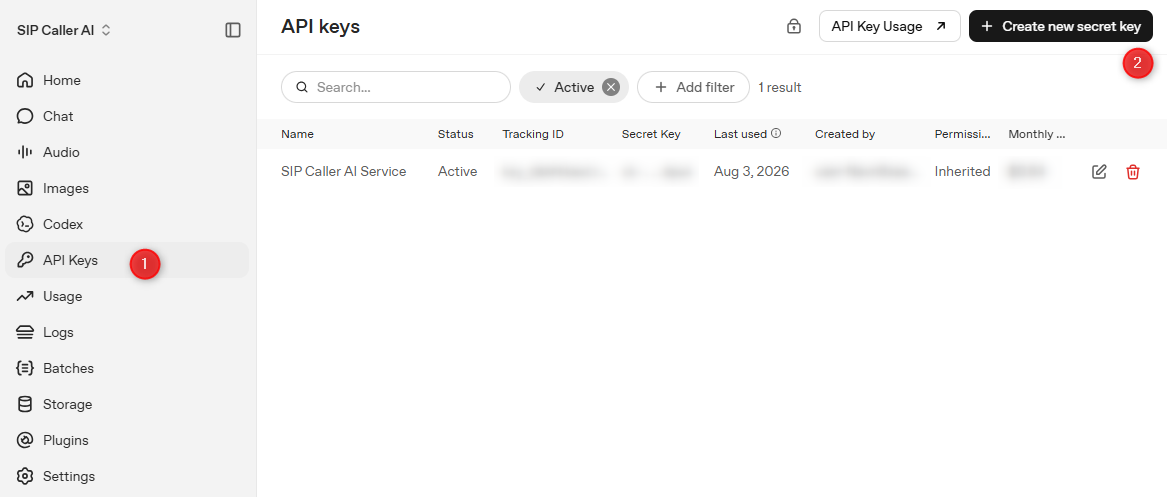
In the upper-left corner, select your project, then click API Keys in the left menu. Click the Create new secret key button.
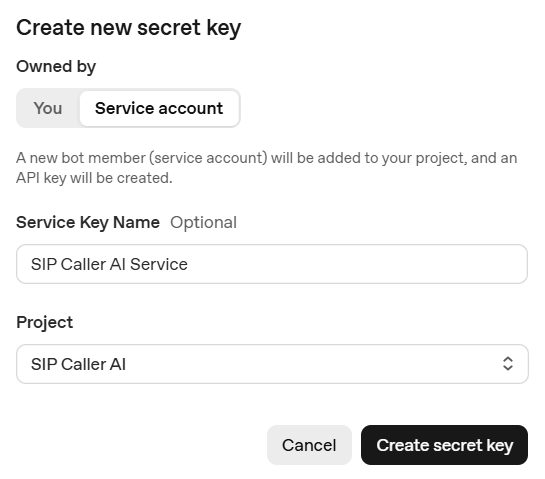
In the "Create new secret key" dialog, select Service account under "Owned by", enter a Service Key Name, and select the project you created in the previous step.
Save the secret key in a safe place, as it will not be shown again. You will need this value when creating the AI Provider in SIP Caller.
Step 3 — Configure the API Key Permissions
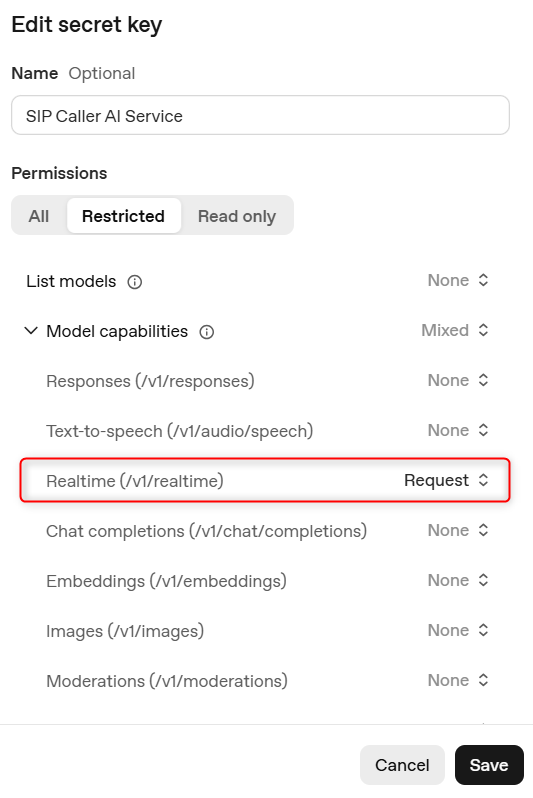
Edit the API Key, set Permissions to Restricted, expand Model capabilities, and set Realtime to Request.