
Settings
Notifications
SIP Caller will send you email notifications triggered by the events of your preference. In case you’re part of multiple accounts, you can configure different notifications for each account, as you might have a different role in each case.
Set up notifications
In order to set up your notifications, go to “Settings” > “Notifications”.
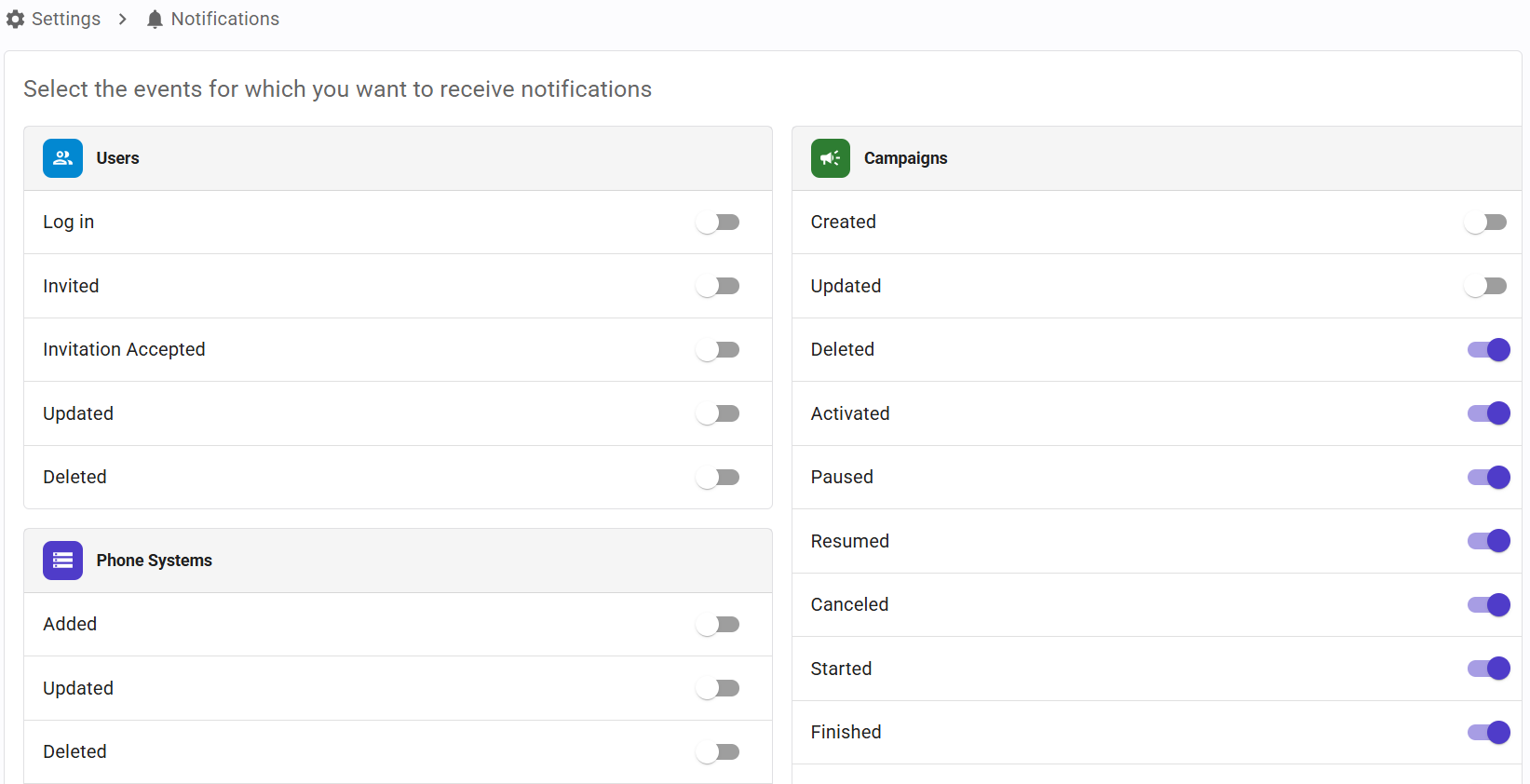
Notification topics
Email notifications are included in all plans. The notification topics are grouped in the following categories, and you can enable or disable each topic individually:
- Users: Log in, Invited, Invitation Accepted, Updated and Deleted.
- Phone Systems: Added, Updated, Deleted and Connection Failure.
- Callflows: Created, Updated, Deleted, Archived and Unarchived.
- AI Agents: Created, Updated, Deleted, Archived and Unarchived.
- Campaigns: Created, Updated, Deleted, Activated, Paused, Resumed, Canceled, Started, Finished, Archived and Unarchived.
The topics you can enable depend on your role in the account:
- Administrator and Account Reader: all the topics.
- Operations Manager and Operations Reader: all the topics, except the ones in the Users category.
- Phone Systems Manager, Callflows Manager, AI Agents Manager and Campaigns Manager: all the topics of the related category.
- Reports Reader: the Campaigns topics, except Created and Updated.
Topics that are not available for your role are shown disabled.


